
Right-Angle DisplayPort Male-to-Male Cable
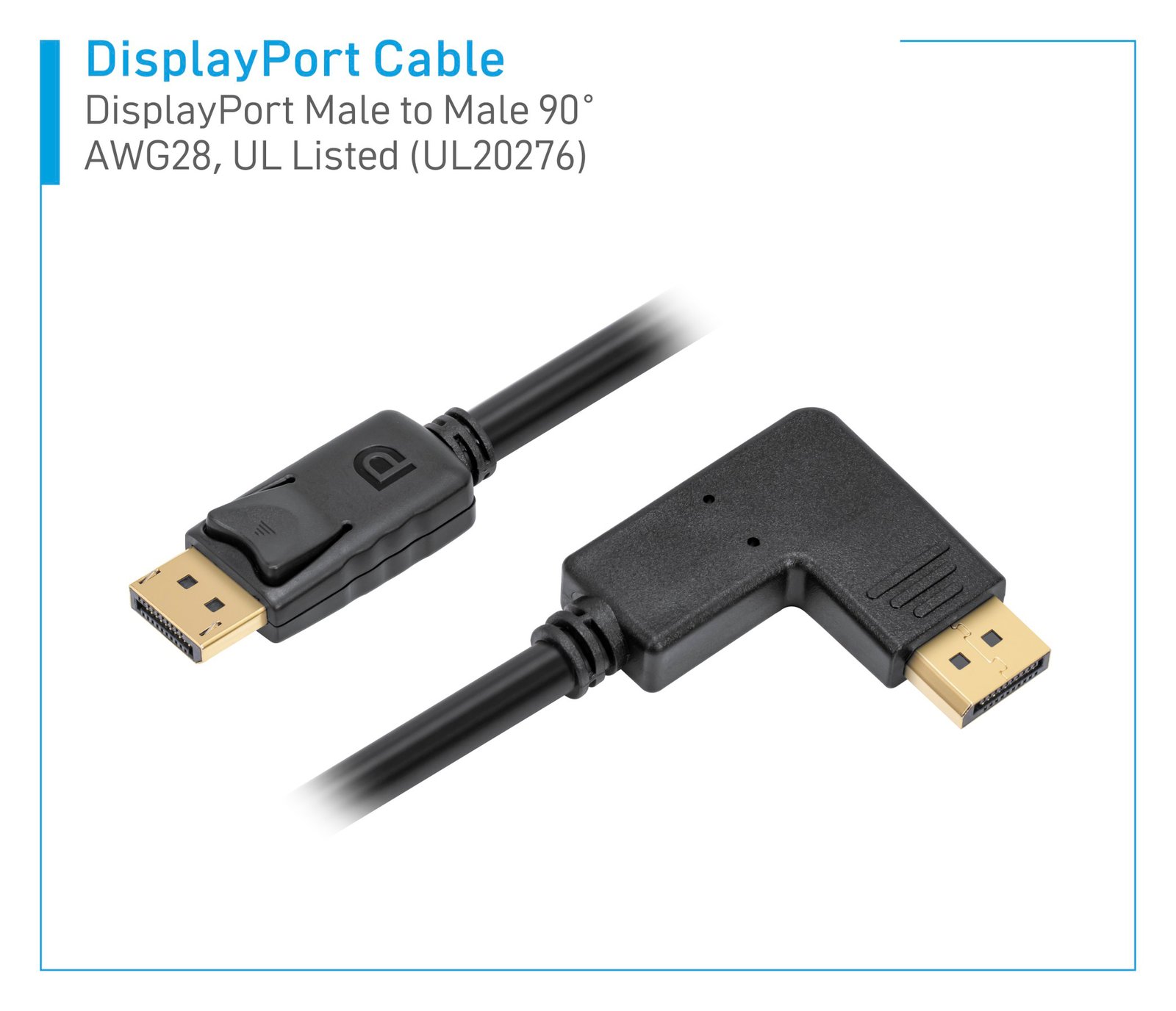
A right-angle DisplayPort male-to-male cable for installs where a straight plug would stick out too far. One end is a straight DisplayPort plug with a press latch; the other is a 90-degree DisplayPort plug that turns the cable flat against the back of the display or the panel. Both plugs are gold, and the pictured construction is AWG28, UL Listed (UL20276).
Anyone who has tried to push a monitor back against a wall with a straight DisplayPort cable in it knows why this cable exists. The 90-degree end in the photo turns the cable through a right angle right at the plug, so the run hugs the back of the display instead of jutting out. The straight end is a latching plug with the usual press-to-release tab; the right-angle end is a plain moulded elbow. Both connectors are gold.
It suits monitors and operator panels mounted close to a wall or inside a shallow enclosure, digital signage, and embedded display equipment where the cable has to turn a corner immediately. The source does not say which way the elbow points (up, down, left or right) relative to the plug, so that is worth confirming before ordering if the direction matters for the install. Length, pinout and termination details are specified for the project. No resolution or bandwidth number is stated for this cable.
Key facts
- Connector configuration: straight DisplayPort plug to 90-degree DisplayPort plug
- Shown construction: AWG28, UL Listed (UL20276) — as printed on the product card in the photo (note: AWG28, not AWG28/28 as on the straight DisplayPort cable)
- Straight plug is gold with a press latch; 90-degree plug is a gold elbow in a black moulded housing (visible in the photo)
- Right-angle geometry helps route the cable in restricted installation spaces
- Black round cable; no ferrite cores visible in the photo
- Custom length, pinout, labelling and packaging can be specified for production projects
- Length: not stated — confirm before ordering
Compatibility
Connects a DisplayPort output to a DisplayPort input. Both ends must be DisplayPort. Check the mating ports on the source and the display, and confirm the elbow direction if it matters for the install.
Application scenarios
- Monitors and operator panels mounted close to a wall
- Digital signage and AV systems
- Embedded display equipment
- Tight-space installs where a straight plug would foul the enclosure
Links
Related models: DisplayPort Male-to-Male Cable, Black Curved HDMI Active Optical Cable, Classic Black HDMI Active Optical Cable, Mini DisplayPort Active Optical Cable Male-to-Male, DisplayPort 1.4 Active Optical Cable HDR 32.4Gbps. Also browse the AOC HDMI cable overview page.
External link: JS TECH — HDMI, DP, DVI and power cables