
DVI CABLE
DVI Cable Assemblies for Monitor and Equipment Connections
Browse the DVI cable assemblies listed below and open each model for its connector arrangement and construction. For a replacement cable, match the connector layout at both ends with the original equipment.
Information to Include in a DVI Cable Enquiry
- Source and display equipment models.
- DVI connector layout, connector gender and the connection required at the other end.
- Length, intended resolution and any shielding or installation requirements.
- Drawing, cable marking or clear connector photos, plus order quantity.
Where different connector types are involved, please identify the required signal direction and conversion. Cable suitability should be checked for the specific equipment and selected model.
Request a DVI cable quote or email sales@fevelectronics.com. Compare DisplayPort cable options or browse computer cable assemblies.

DVI-D 24+1 CABLE for computer monitor HDTV Projector DVD EMI Shielded DVI Cable
A black DVI-D 24+1 dual link cable, male to male, EMI shielded, gold-plated pins, with ferrites. 6 ft, for monitors, projectors and HDTVs.

EMI Shielded DVI Cable Male to Male
An EMI shielded DVI cable, male to male, 24+1 — white DVI-D plugs with gold pins, black cable, ferrite rings. Up to 2560×1600.

DVI Male to VGA Adaptor Cable for computer monitor projector screen
A DVI male to VGA adaptor cable — white DVI plug one end, blue VGA/HD15 plug the other, with a ferrite ring. Foil-shielded, gold-plated contacts.

DVI CABLE DVI CONNECTOR OPTIONS
A DVI connector options guide — DVI-D Dual Link 24+1, DVI-D Single Link 18+1, DVI-I Dual Link 24+5, DVI-I Single Link 18+5, and DVI-A analogue, each with a pin diagram.
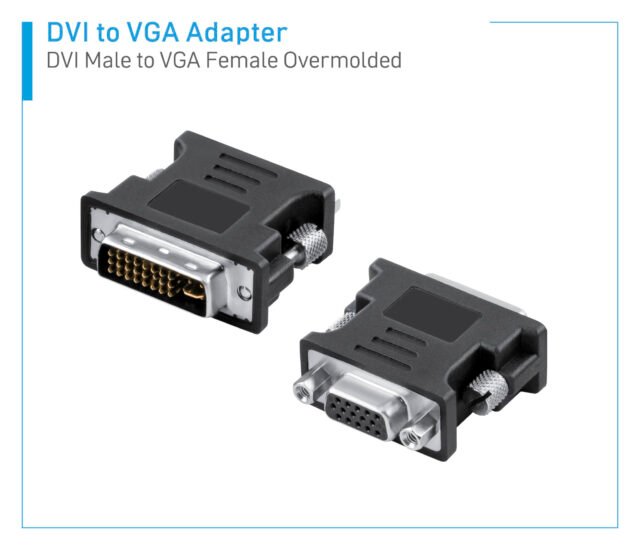
DVI-to-VGA Overmolded Adapter
A short, solid DVI-to-VGA adapter for equipment that still speaks VGA on one side and DVI on the other. DVI plug on one end, VGA socket on the other, in a single black overmoulded body with thumbscrews. It is made for OEM builds and panel work, where the adapter has to fit the machine and stay put — not for a generic desktop dongle drawer.
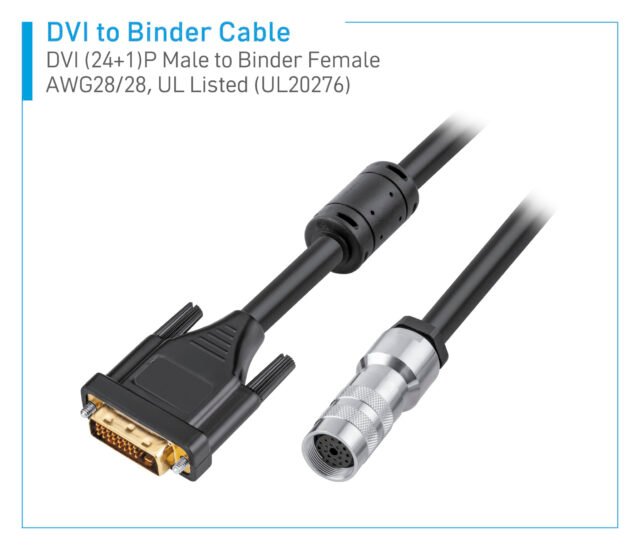
DVI-D to Binder Circular Connector Cable
A display cable with two very different ends: a DVI-D 24+1-pin plug on one side, and a metal Binder-style circular socket on the other. The DVI end goes to the display side; the round connector locks onto the equipment side, where a normal DVI socket would be the wrong shape or wouldn't hold. There is a ferrite choke on the cable, just up from the DVI plug.
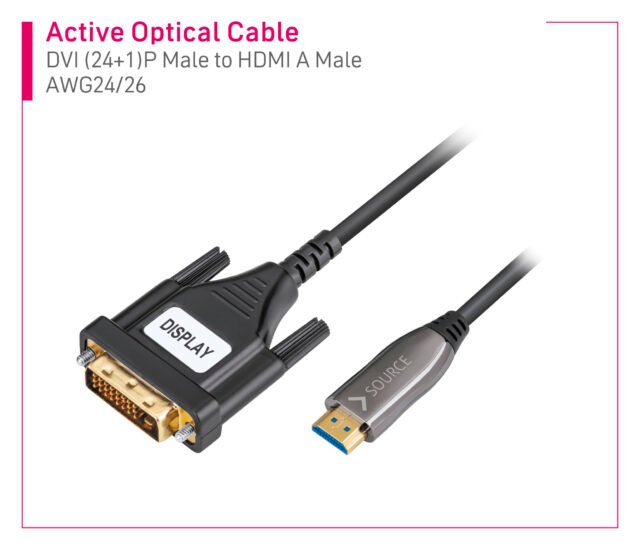
DVI-D to HDMI Active Optical Cable
An active optical cable that links an HDMI source to a DVI-D display. One end is a DVI-D 24+1-pin plug in a black moulded housing labelled DISPLAY; the other is an HDMI Type-A plug in a grey metal housing labelled SOURCE, with a direction arrow on it. The signal travels over fibre for the long stretch, which is what makes this a long-reach cable rather than a short adapter lead. It only works one way round — check the labels before you plug it in.
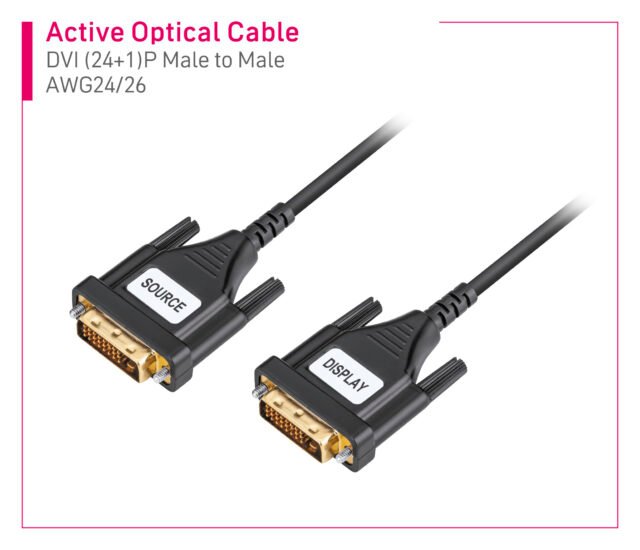
DVI-D Male-to-Male Active Optical Cable
A DVI-D 24+1-pin plug-to-plug active optical cable for long runs between DVI-D equipment and displays. Both ends are gold DVI-D plugs with thumbscrews in black moulded housings — one labelled SOURCE, the other DISPLAY — so the direction is clear before you plug anything in. The signal travels over fibre for the long stretch, which is what makes this a long-reach cable rather than a short patch lead. It only works one way round.
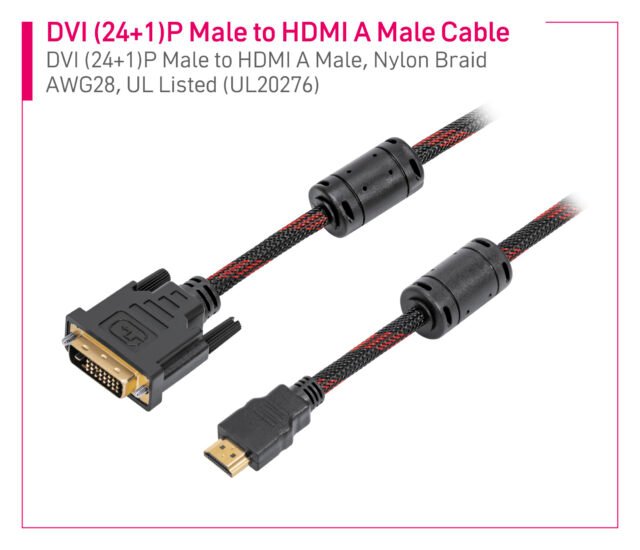
Braided DVI-D to HDMI Type-A Cable
A braided DVI-D to HDMI cable for hooking a DVI-D source up to an HDMI display without a separate adapter. One end is a DVI-D 24+1-pin plug with thumbscrews, the other is a standard HDMI Type-A plug, and the cable between them is a black nylon braid with a red thread running through it. There is a ferrite core on each leg of the cable, as shown in the photo.
- 1
- 2