
Black Molded USB-A to USB-C Cable
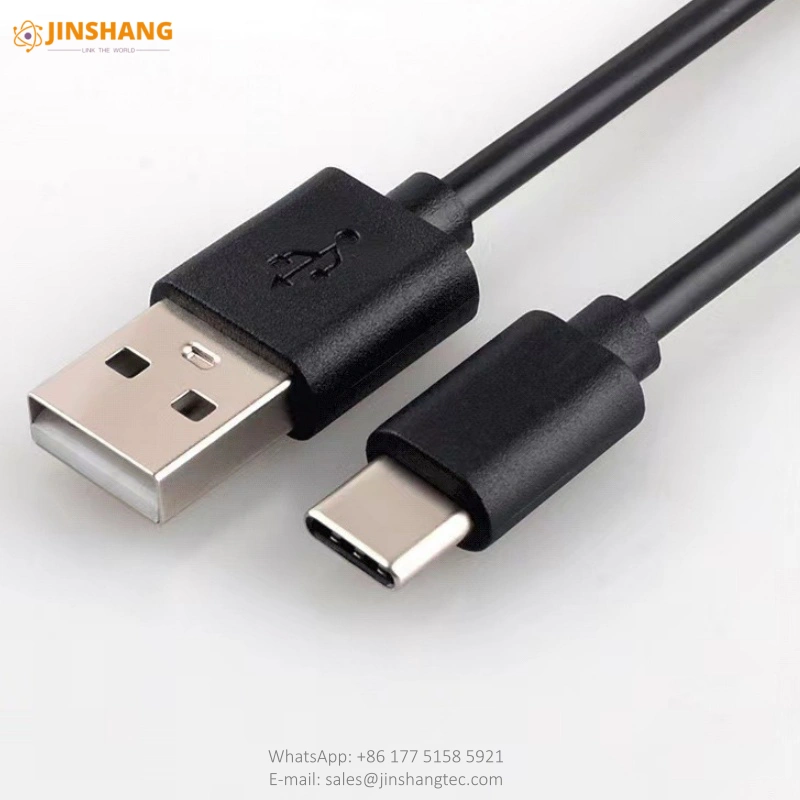
A black USB-A to USB-C cable with chunky molded housings. One end is the standard rectangular USB-A plug, the other is USB-C — for charging and syncing a USB-C phone or tablet from a computer, charger or power bank that still has USB-A ports. No USB 3.0 marking on this one, so no speed claim is made.
This is the straightforward black USB-A to USB-C cable. The housings are chunky black molded plastic on both ends — the Type-A side is a solid block with the USB trident stamped on it, and the USB-C side is a longer tapered housing. It feels like a cable built to be plugged in and left alone. One end goes into any standard USB-A port — a laptop, a desktop, a wall charger, a car charger — and the USB-C end goes into your phone, tablet, or other USB-C device. It charges and it syncs. That’s the job, and it does it without needing anything else. Two things worth saying plainly. First, the photo shows a white/clear tongue inside the Type-A plug and no SuperSpeed mark, so this page doesn’t call it a USB 3.0 cable and doesn’t print any speed number. Second, the source gives no cable length, so no length is printed either. If either matters for your setup, check before ordering.
Key facts
- Connectors: USB Type-A male to USB-C male
- Type-A end: white/clear tongue inside the plug, USB trident stamped on the housing, no SuperSpeed/SS mark visible in the photo
- Housings: black molded plastic, both ends — chunky block on the Type-A side, longer tapered housing on the USB-C side
- Jacket: black
- USB version: not stated in the source — no version or speed claimed
- Length: not stated — confirm before ordering
- Data rate: not stated — confirm before ordering
- Charging power: not stated — confirm before ordering
- Use: charging, data sync, peripheral connection
Compatibility
USB-C devices (phones, tablets, laptops, accessories) on one end; computers, chargers, hubs and power banks with a standard USB-A port on the other. The Type-A plug fits any USB-A port.
Application scenarios
- Charging a USB-C phone or tablet from a USB-A charger, laptop or power bank
- Syncing files between a USB-C device and a computer with a USB-A port
- Connecting USB-C peripherals to a desktop or laptop
- Retail cable lines, bundles and OEM projects
Links
Related product: USB 3.0 Type-A to USB-C Data Cable. Also browse the full range on the USB Type-C Cable category page.
External link: Fibre optic cable manufacturer — TOCP.