
DVI-D to DisplayPort Video Cable
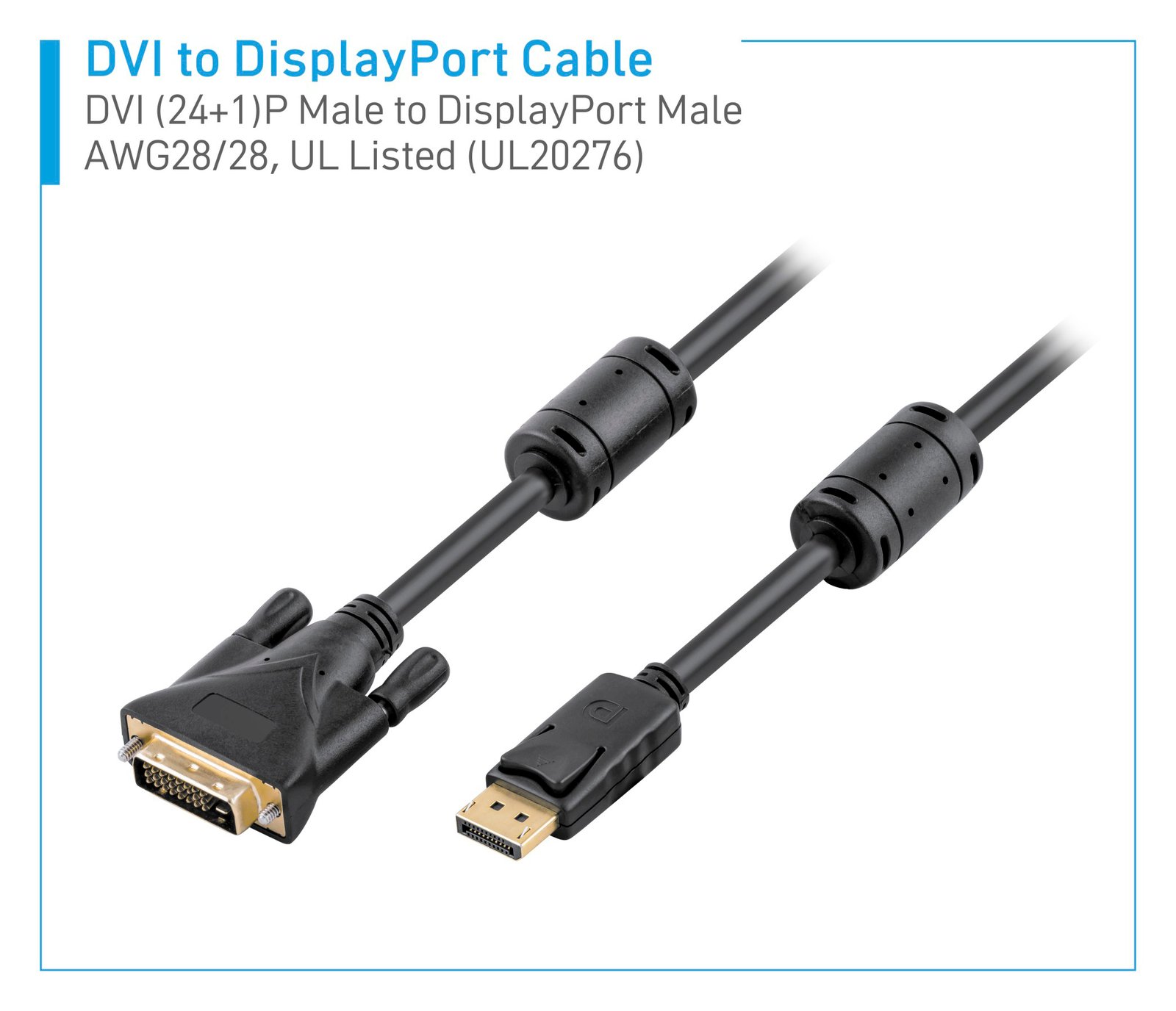
A DVI-D to DisplayPort video cable for connecting a DVI-D source to a DisplayPort display — monitors and operator panels, digital signage, embedded display equipment. One end is a DVI-D 24+1-pin plug with thumbscrews, the other a DisplayPort plug with a latch, both with gold contacts, and the black round cable carries a ferrite core near each end. The pictured construction is AWG28/28, UL Listed (UL20276).
This is a plain, practical video lead: no adapter box, no dongle hanging off the back of the monitor, just a cable with the right plug on each end. The DVI-D end is a 24+1-pin plug with a gold shell and two thumbscrews, so it stays put once it is tightened down. The DisplayPort end is a black moulded plug with a gold connector and a press latch — squeeze the latch to release it, which is worth knowing the first time you unplug it. Each leg of the cable has a ferrite core moulded on, visible in the photo.
It fits anywhere a DVI-D output needs to reach a DisplayPort input: an operator panel on a machine, a signage screen, an embedded display in a piece of equipment. Length, pinout and termination details are specified for the project, and as usual the mating connectors should be checked against the equipment before ordering. No resolution or bandwidth number is stated for this cable — if a customer needs a specific resolution, that has to be confirmed against the ordered configuration.
Key facts
- Connector configuration: DVI-D 24+1-pin plug to DisplayPort plug
- Shown construction: AWG28/28, UL Listed (UL20276) — as printed on the product card in the photo
- DVI-D plug is gold with thumbscrews; DisplayPort plug is black moulded with a gold connector and a press latch (visible in the photo)
- Ferrite core on the cable near each connector (visible in the photo)
- Black round cable
- Custom length, pinout, labelling and packaging can be specified for production projects
- Length: not stated — confirm before ordering
Compatibility
Connects a DVI-D 24+1-pin output to a DisplayPort input. Both ends must match the mating ports on the source and the display. Check the DVI-D pin layout (24+1, digital-only) against the source device before ordering.
Application scenarios
- Monitors and operator panels
- Digital signage and AV systems
- Embedded display equipment
- Equipment-specific replacement leads, once the mating connectors and wiring definition are confirmed
Links
Related models: DisplayPort 2.1 Active Optical Cable 54Gbps, DisplayPort 1.4 Active Optical Cable HDR 32.4Gbps, Classic Black HDMI Active Optical Cable, Black Molded 4K HDMI Active Optical Cable. Also browse the DisplayPort cable range and the AOC HDMI cable overview page. See also the DisplayPort Male-to-Male Cable.
External link: JS TECH — HDMI, DP, DVI and power cables